Blog
GST Website Not Working: 10 Easy Ways to Solve the Problem

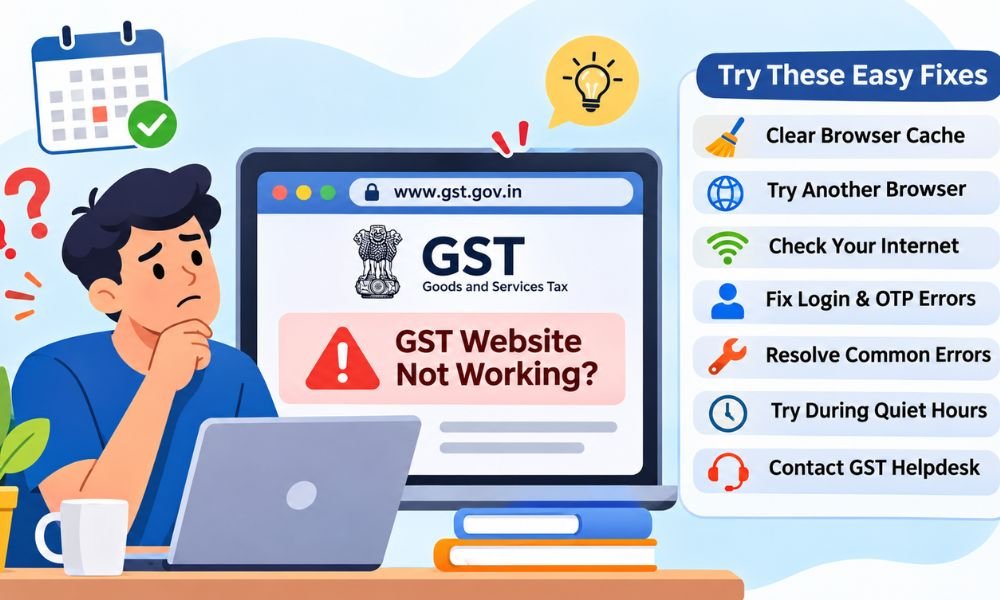
Are you trying to open the GST website but it keeps showing an error? This can be very stressful. Many people face this problem when they need to file their tax returns or check important details online.
The GST portal helps people and businesses in India manage their taxes. But sometimes the website becomes slow or stops working. This can happen because of heavy traffic or internet problems. Browser errors can also cause trouble.
If the GST website not working issue is bothering you in 2026 then don’t worry. This guide will explain the common reasons and ten easy ways to fix them. You can follow these steps without any special computer skills.
Why Is the GST Website Not Working?
The GST website can stop working for many reasons. Sometimes the problem comes from the website itself. Other times your browser or internet connection may be the cause. Finding the reason first can help you save time.
One common reason is heavy traffic. Many people try to file their tax returns near the last date. This puts extra pressure on the website. As a result some pages may load slowly or stop responding.
The website may also be down for updates or repairs. Old browser files can cause errors too. A weak internet connection may stop pages from opening. These problems can make simple tasks feel hard.
How to Check If the GST Website Is Down Today
Before changing your device settings you should check if the GST portal is down. Sometimes the website stops working for many users at the same time. In that case changing your browser may not help.
Start by visiting the official GST website at www.gst.gov.in. Look for any notices about planned updates or service problems. You can also check official GST support pages for news about the website.
Another way is to check websites like Downdetector. These sites show reports from other users. You can also ask a coworker if the portal works for them. Keep in mind that user reports do not prove an official outage.
GST Website Not Working? Clear Your Browser Cache
Your browser saves small files when you visit websites. These files help pages load faster. But old files can sometimes cause problems. This may be why the GST website is not opening on your computer.
To fix this problem open your browser settings. Find the option to clear browsing data. Select cached files and cookies if needed. Remember that clearing cookies may sign you out of websites.
After clearing the files close your browser and open it again. Now visit the GST portal and try to log in. If the page works then old browser data may have caused the problem.
GST Website Not Working? Try Another Browser
Sometimes the GST portal works in one browser but fails in another. This can happen because of old browser versions or settings. Some browser tools may also stop parts of the website from working.
If you use Google Chrome then try Microsoft Edge or Mozilla Firefox. You can also open the website in private or incognito mode. This gives you a fresh browsing session without using your usual cookies.
Make sure your browser is up to date. You can also turn off browser extensions for a short time. If the website works after doing this then one of those tools may have caused the issue.
Continue reading: Who Is Delilah Fishburne? Meet Laurence Fishburne’s Daughter
GST Website Not Working? Check Your Internet
A weak internet connection can make the GST portal very slow. Sometimes the page may open but stop when you try to log in. This can be a problem when you are sending tax forms.
First check whether other websites are working. If they are also slow then your internet may be the cause. Restart your Wi-Fi router and wait for the connection to return. Then open the GST website again.
You can also try mobile data or another trusted network. If you use a VPN then turn it off for a short test. A stable connection is important when you upload files or send tax details.
GST Website Not Working? Fix Login and OTP Errors
Are you entering the right password but still cannot log in? This is a common GST portal problem. It may happen because of wrong login details or an expired session. Sometimes the OTP also arrives late.
Start by checking your username and password. Make sure you have not entered any extra spaces. If you forgot your password then use the reset option on the official GST login page.
If the OTP does not arrive then check your registered phone and email. Wait a little before asking for a new code. Use the latest valid OTP and never share it with anyone. If login still fails then contact GST support.
GST Website Not Working? Fix Common Error Codes
Sometimes the GST website shows an error instead of opening a page. These errors may look confusing at first. But each message can help you understand what went wrong. Knowing the reason can make the problem easier to fix.
Error 404 means the page cannot be found. This may happen when you use an old link. Error 500 means something went wrong on the website’s server. Error 503 means the service is not available at that time.
If you see these errors then refresh the page once. You can also open the GST homepage and try again. If the same error keeps appearing then wait a little. The website may need time to recover.
GST Website Not Working? Solve Tax Filing Problems
Filing GST returns is an important task for businesses in India. But sometimes the website stops working when you try to send a form. This can happen while filing GSTR-1 or GSTR-3B. It may also happen during busy filing days.
First check that all required details are correct. Look for missing fields or wrong numbers. If the website shows an error then read the message carefully. Fix any mistakes before trying to send the form again.
Sometimes a return may seem stuck after you press submit. Do not send it again right away. First check its status on the GST portal. Look for the filing record and ARN if one was issued. This can help you avoid confusion.
GST Website Not Working? Fix DSC and Payment Errors
Some GST users need a Digital Signature Certificate or DSC to file forms. This is a tool that helps confirm who is signing. If the DSC does not work then the form may fail to submit.
Check that your DSC token is connected to your computer. Make sure it is still valid. You should also check that the signing tool works and that the right person is allowed to sign the form.
Payment problems can also happen on the GST portal. If money leaves your bank but the website shows an error then do not pay again at once. Check your payment status and electronic cash ledger first. Contact support if the payment is still missing.
GST Website Not Working? Try During Quiet Hours
The GST portal can become slow when many people use it at the same time. This often happens near tax filing deadlines. Thousands of users may try to log in and send forms during these busy periods.
If the GST website not working problem happens during a busy time then try again later. Early morning or late night may be less busy. However there is no fixed time when the website is sure to work faster.
A better plan is to prepare your returns before the last day. Check your details and keep your files ready. Filing early gives you more time to solve errors. It also helps you avoid last-minute stress.
GST Website Not Working? Contact the GST Helpdesk
What should you do if nothing works? The GST helpdesk can help with problems that you cannot fix yourself. This may include login errors and failed forms. You can also report website problems that keep coming back.
The GST helpdesk number listed in the source guide is 1800-103-4786. You can also visit the official GST portal at www.gst.gov.in to find current support details. Always check the official contact information before asking for help.
When you report a problem explain what happened. Include your GSTIN and the time of the error. You can also attach a screenshot. Never share your password or OTP. Save your support ticket number so you can check for updates later.
How to Avoid GST Website Problems in the Future
The best way to deal with GST website problems is to plan ahead. Do not wait until the final day to file your returns. Start early and check your tax details before sending any forms.
Keep your browser updated and use a stable internet connection. Make sure your registered phone number and email are correct. If you use a DSC then check that it works before your filing date.
You should also save copies of your returns and payment records. If the website fails then take screenshots that show the error and time. These records may help explain the problem. However they do not mean that late fees will be removed.
Continue reading: Cassandra Jade Estevez: Everything About Charlie Sheen’s Daughter
Conclusion
The GST website not working problem can be stressful when you need to file taxes. But many common issues have simple fixes. Clearing old browser files and checking your internet connection are good places to start.
If the portal is down for many users then waiting may be the only choice. You can check official updates and try again later. For login errors or failed forms you should read the error message and follow the right steps.
In 2026 the GST portal remains an important tool for taxpayers in India. Keep your records ready and file your returns early. If the problem continues then contact official GST support. A little planning can save time and help you avoid trouble.
(FAQs)
Why is the GST website not working today?
The GST website may stop working because of heavy traffic or server problems. Website updates can also cause issues. Check official GST notices to see if there is a known problem.
How can I check if the GST portal is down?
Visit www.gst.gov.in and check for updates. You can also use Downdetector to see reports from other users. If many people face the same issue then the portal may be down.
What should I do if the GST website is not opening?
First check your internet connection. Then clear your browser cache and try again. You can also use another browser or private mode. If nothing works then wait and try later.
Why can’t I log in to my GST account?
You may have entered the wrong username or password. Your login session may also have expired. Check your details and try again. Use the password reset option if needed.
What should I do if my GST OTP is not coming?
Check your registered phone number and email. Make sure your phone has a good network signal. Wait a few minutes before asking for another OTP. Never share your code with anyone.
What does error 503 mean on the GST website?
Error 503 means the website service is not available right now. This may happen during maintenance or heavy traffic. Wait a little and try again. The problem may be on the server.
Can I file my GST return if the website is down?
You usually cannot complete online filing while the needed GST service is down. Prepare your return and save your details. Try again when the portal works. Check official notices for any deadline changes.
What happens if I miss my GST filing date because the website is down?
You may face late fees or interest under GST rules. A website problem does not always remove these charges. Save screenshots and report the issue. Check official notices for any filing relief.
Why is my GST payment not showing after money was deducted?
Sometimes payment updates take time. Check your payment status and electronic cash ledger on the GST portal. Do not pay again without checking. Contact the helpdesk if the money is still missing.
How can I contact the GST helpdesk if the website is not working?
You can call the GST helpdesk at 1800-103-4786. Check www.gst.gov.in for current support details. Explain your problem and share the error message. Keep your GSTIN and screenshots ready for faster help.
Continue reading: Son Heung Min Net Worth, Salary, Football Career, Cars, and Brand Deals

SEO Content Writing Tips: A Complete Guide to Better Rankings and Engagement

How to Build a Diamond Wardrobe That Survives Every Style Phase

How Daily Life Changes Shape the Value of an Injury Claim in Colorado

How to Recognize and Report Healthcare Fraud

Turn Your Creative Ideas Into Products With a Desktop Laser Engraver

Jeremy Renner Net Worth, Salary, Marvel Earnings, and Real Estate Wealth

Peter Facinelli Net Worth, His Twilight Success, Career, and Wealth

Nara Smith Net Worth, How Modeling and TikTok Made Her Rich

Jimmy O. Yang Net Worth, His Rise From Struggling Comedian to Famous Actor

Barbara Avery: Where Is James Avery’s Wife Now?

How to Make Kofta Kebabs at Home Without Overthinking It

Ethan Klein Net Worth: YouTube H3 Podcast and His Wealth

Oleksandra Zelenska: Who Is Volodymyr Zelensky’s Daughter?

Who Is Angel Iris Murphy Brown? All About Mel B’s Child

Rebecca Liddicoat: What Happened to RG3’s First Wife After Divorce?

Kai Dugan: Everything to Know About Jennifer Connelly’s Son

Beyond the Interior: Home Improvements That Transform Your Entire Property

Nicole Aniston Net Worth: Career, Income, and Wealth Explained

Vivian Jenna Wilson Net Worth: How Elon Musk’s Daughter Makes Her Own Money

Lex Fridman Net Worth: Salary, Podcast and YouTube Money
SEO Content Writing Tips: A Complete Guide to Better Rankings and Engagement
How to Build a Diamond Wardrobe That Survives Every Style Phase
How Daily Life Changes Shape the Value of an Injury Claim in Colorado
How to Recognize and Report Healthcare Fraud
Turn Your Creative Ideas Into Products With a Desktop Laser Engraver
Jeremy Renner Net Worth, Salary, Marvel Earnings, and Real Estate Wealth
Peter Facinelli Net Worth, His Twilight Success, Career, and Wealth
Nara Smith Net Worth, How Modeling and TikTok Made Her Rich
Jimmy O. Yang Net Worth, His Rise From Struggling Comedian to Famous Actor