Blog
ZVideo: What Is It, How Does It Work, and Is It Safe?

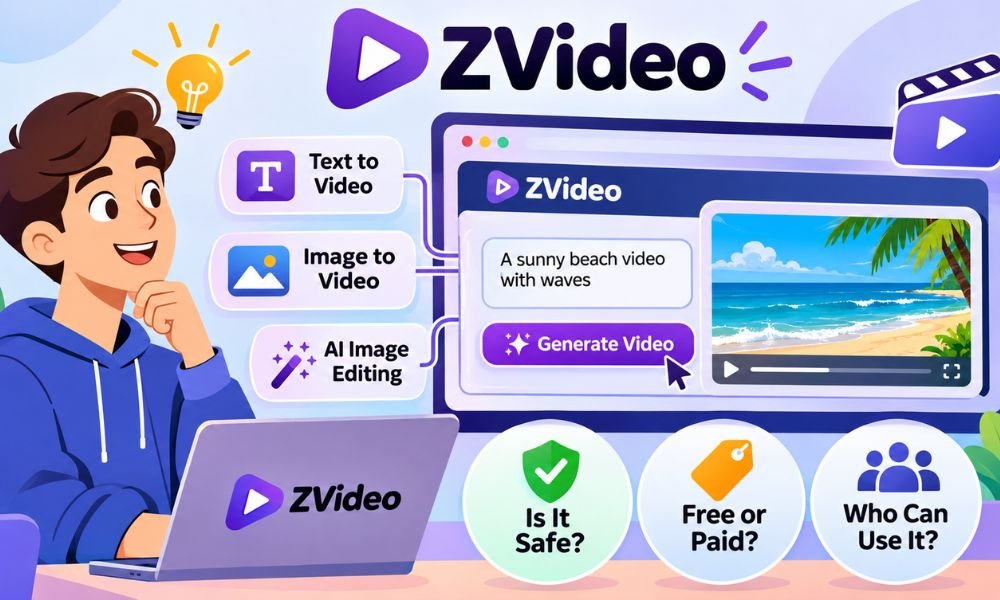
Have you ever wished you could turn a simple idea into a video without using a camera? AI tools are making this possible. One name you may have seen online is ZVideo. But what is it and how does it work?
In 2026 many people are looking for easy ways to create videos and images. ZVideo is one name linked to these tools. However, the name has also been used for other video services. This can confuse new users.
In this guide we will explain what ZVideo is and how its AI tools work. We will also look at its main features and how to get started. You will learn about pricing and safety before using the service.
What Is ZVideo?
ZVideo is a name used by more than one video service. One current website called ZVideo.app offers AI tools for making videos and images. Users can enter text or use pictures to create new visual content.
The main goal of this AI service is to help people bring their ideas to life. You do not always need a camera or special editing skills. You can start with a short description of what you want.
There is also an older use of the name. In 2020 Alibaba’s Quark app introduced a video feature called ZVideo. It focused on useful information videos. This was different from the AI creation service people may find today.
How Does ZVideo Work?
ZVideo uses AI to help create visual content. You give the tool an idea through words or an image. The system then tries to turn that idea into a new picture or video.
For example, imagine you want a video of a small boat moving across a lake. You can write a short description of the scene. The AI will try to create a video that matches your words.
You can also begin with a picture you already have. The tool may add movement to that image. This makes it useful for people who want to create short clips without filming every scene themselves.
Main Features of ZVideo
One useful feature of ZVideo is text-to-video creation. This lets users make videos from written ideas. You can describe a place or an action. The AI then works to create a matching visual scene.
Another feature is image-to-video creation. You can use a still picture as a starting point. The tool can try to add movement. ZVideo also describes image editing tools that let users request changes with simple words.
The service also lists tools for keeping characters and scenes more consistent. This can help when making several related images. It offers different image shapes and sizes such as square and wide formats for various uses.
Continue reading: Cody Johnson Net Worth: Music, Tours, Ranch, and Real Earnings
How to Use ZVideo Step by Step
Getting started with ZVideo begins with finding the correct website. The AI service discussed here uses ZVideo.app. Check the website address before entering any details. Then look at the tools and account options shown on the page.
Next choose the tool that matches your idea. If you want to create a video from words then select a text-to-video option. Write a clear description. Include the subject and setting along with the movement you want.
For example, you could ask for a red car driving along a quiet road at sunset. After the AI creates a result you can review it. If it looks wrong then try a clearer prompt. Check the available save and download options when finished.
Is ZVideo Free or Paid?
Many new users want to know whether ZVideo is free. The answer depends on the current service and its available plans. The AI platform’s published documents mention paid plans and credits. This means you should not assume every tool is free.
AI video tools often use credits to manage how much content a person can create. Some tasks may use more credits than others. The exact rules and prices should be checked on the official website before making a purchase.
Before paying for ZVideo you should read what each plan includes. Check how many videos you can make and whether there are any limits. Also look at refund rules and automatic renewals. This can help you avoid unexpected costs.
Is ZVideo Safe to Use?
Safety is important when using any online tool. ZVideo.app publishes privacy information and terms of service. These pages explain how the service may handle user details and uploaded content. However, having these pages does not mean every risk is gone.
When using ZVideo you may enter text prompts or upload images. The service may process and store some of this information to provide its tools. Avoid uploading private photos or business files until you understand how your data may be used.
You should also watch out for websites with similar names. Check the full address before signing in or paying. Avoid strange download links and unwanted pop-ups. A few simple checks can help you use online video tools more safely.
ZVideo vs YouTube and Other Video Platforms
Many people think ZVideo works like YouTube or TikTok. However, these services have different goals. YouTube helps people upload and share videos. The current ZVideo AI service focuses on creating new videos and images with AI tools.
For example, YouTube lets you watch videos from other creators. You can also share your own videos and build an audience. ZVideo helps you make visual content from text or pictures. You can then share your work on other platforms.
TikTok is mainly known for short videos and social content. Vimeo is often used to host and share video work. The current ZVideo service is different because its main focus is AI creation rather than public video sharing.
Benefits of Using ZVideo
One useful benefit of ZVideo is that it can help people create videos without filming everything. You can start with a simple idea and let AI build a visual scene. This may save time when testing new ideas.
Another benefit is the ability to turn pictures into moving videos. Imagine you own a small clothing shop. You could use a product image to test a short video idea. This may help you plan content for social media.
ZVideo also offers tools for changing images with written instructions. This can make creative work easier for beginners. However, AI does not always produce perfect results. You may need to change your prompt or edit the final content.
Common ZVideo Problems and Easy Fixes
Sometimes an AI video may not look the way you expected. The movement might seem strange or the scene may contain mistakes. If this happens, try using shorter and clearer instructions. Explain exactly what you want the AI to show.
Another common problem is slow loading. AI video creation can take time because the system must process your request. A weak internet connection may also cause problems. Check your connection and try again if the website stops responding.
You may also face trouble uploading images or opening the website. Make sure your file meets the site’s rules. Try an updated browser if needed. Avoid downloading unknown software or browser tools that claim to fix ZVideo errors.
Can You Use ZVideo for Business?
ZVideo may be useful for small businesses that want to create simple visual content. A shop owner could test product video ideas. A designer could create sample scenes. A content creator could make short clips for a new project.
For example, imagine you sell handmade bags online. You have clear pictures of your products but no videos. An image-to-video tool may help you test moving product visuals. However, you should check that the AI does not change important product details.
Before using ZVideo for paid work, read its latest terms. Check whether your plan allows business use. You should also respect copyright rules and avoid using images or logos without permission. AI-made content does not always come with full legal rights.
Who Should Use ZVideo?
ZVideo may be a good choice for people who enjoy making creative content. Social media creators can use AI tools to test new video ideas. They may find it useful when they want to create something without filming a real scene.
Small business owners may also benefit from these tools. They can explore ideas for ads and product posts. Designers can test different looks for a project. Students may use AI visuals for school work when their teachers allow it.
However, ZVideo may not suit everyone. People who want to watch videos or follow their favorite creators may prefer YouTube or TikTok. Those who need real footage may still need a camera. The right tool depends on what you want to do.
Is ZVideo Worth Trying in 2026?
ZVideo offers an interesting way to explore AI video and image creation in 2026. Its tools may help users turn simple ideas into visual content. This can be useful for beginners who want to try new creative projects.
Still, there are some things to consider before using it. AI videos may contain mistakes. Some tools may require payment or credits. You should also understand how the service handles your images and personal information before uploading anything important.
If you enjoy creating videos and testing ideas, ZVideo may be worth exploring. Start with a simple project and check the results. Review the current pricing and terms before paying. This will help you decide whether the service meets your needs.
Continue reading: Vivian Jenna Wilson Net Worth: How Elon Musk’s Daughter Makes Her Own Money
Conclusion
ZVideo is a name linked to different video services. In 2026 one current service focuses on AI video and image creation. It helps users turn written ideas and pictures into new visual content without filming every scene.
The platform may be useful for content creators and small business owners. However, it is important to understand its limits. AI results may need editing. Pricing and usage rights can also affect how you use the service.
Before trying ZVideo, make sure you are visiting the correct website. Read its privacy rules and check the latest plans. Start with a simple idea and see how the tools work. This can help you decide whether ZVideo is right for you.
(FAQs)
What is ZVideo used for?
The current ZVideo AI service helps users create videos and images. It offers tools for turning text and pictures into visual content.
Is ZVideo free to use?
ZVideo’s documents mention paid plans and credits. Free access may depend on the current offer. Check its official website for the latest details.
Is ZVideo safe in 2026?
ZVideo.app publishes privacy and service rules. However, users should still check the website address and avoid sharing private files without reading its policies.
How can I create videos with ZVideo?
Open the correct website and choose a video creation tool. Enter a clear text prompt or upload an image. Then review the result.
Can ZVideo turn images into videos?
Yes. The current AI service describes an image-to-video feature. It can use a still picture as the starting point for a moving scene.
Is ZVideo the same as YouTube?
No. YouTube mainly helps people watch and share videos. The current ZVideo AI service focuses on creating and editing visual content.
Can I use ZVideo on my phone?
ZVideo is presented as a web-based service. Mobile access may depend on your browser and the tools you want to use.
Who owns ZVideo?
The name has been used by different services. Alibaba’s Quark app used it in 2020. The current ZVideo AI service should not be assumed to have the same owner.
Can I use ZVideo videos for business?
Business use depends on the service’s current terms and your rights to the content. Always check the rules before using AI videos in paid projects.
Does ZVideo require an account?
Account requirements may depend on the tool you choose. Check the current website to see whether you must sign in before creating content.
Continue reading: Finneas Net Worth, Music Career, Income, House, and Success

6 At-Home LED Face Masks Compared on Wavelength, Fit and Session Time

Where Clutter Actually Comes From in a Small Home

6 Korean Barrier Repair Products Compared on Ingredients and Texture

Practical Desk Accessories for a More Organized Workspace

Solar Security Cameras Compared: Power, Signal and Night Range

The Best Google Shopping Management Agencies in 2026

7 Rare Honeys Worth Trying and Where They CoFrom

Used OEM or Aftermarket Car Parts Compared Across Five Secondhand Sources

What Makes Gold Prices Rise While Other Markets Fall?

How to Reduce Mold Risk with These 3 Easy Duct Cleaning Steps

How to Make Kofta Kebabs at Home Without Overthinking It

Oleksandra Zelenska: Who Is Volodymyr Zelensky’s Daughter?

Ethan Klein Net Worth: YouTube H3 Podcast and His Wealth

Patricia Azarcoya Schneider: Everything You Need to Know About Rob Schneider’s Wife

Who Is Angel Iris Murphy Brown? All About Mel B’s Child

Rebecca Liddicoat: What Happened to RG3’s First Wife After Divorce?

Kai Dugan: Everything to Know About Jennifer Connelly’s Son

Beyond the Interior: Home Improvements That Transform Your Entire Property

Nicole Aniston Net Worth: Career, Income, and Wealth Explained

Vivian Jenna Wilson Net Worth: How Elon Musk’s Daughter Makes Her Own Money
6 At-Home LED Face Masks Compared on Wavelength, Fit and Session Time
Where Clutter Actually Comes From in a Small Home
6 Korean Barrier Repair Products Compared on Ingredients and Texture
Practical Desk Accessories for a More Organized Workspace
Solar Security Cameras Compared: Power, Signal and Night Range
The Best Google Shopping Management Agencies in 2026
7 Rare Honeys Worth Trying and Where They CoFrom
Used OEM or Aftermarket Car Parts Compared Across Five Secondhand Sources
What Makes Gold Prices Rise While Other Markets Fall?