
Technology
Hi3D: Accelerating Creative Prototyping with AI-Powered 3D Design

Rethinking the Early Stages of Product Development
Every product begins with an idea, but turning that idea into something people can evaluate requires more than imagination. Designers need to explore shape, proportion, appearance, and practical constraints before they can determine whether a concept deserves further investment. In many projects, the earliest stages are therefore less about producing a perfect model and more about discovering which direction is worth pursuing.
Traditional 3D modeling provides detailed control over this process, but building an initial asset can take considerable time. Even a relatively simple object may require geometry construction, surface refinement, material setup, and repeated adjustments. When a project involves several competing concepts, these tasks can make early experimentation expensive.
AI-powered 3D generation offers an alternative way to establish an initial representation. By converting suitable visual references into preliminary models, an ai model generator can help designers investigate ideas before committing to extensive manual modeling.
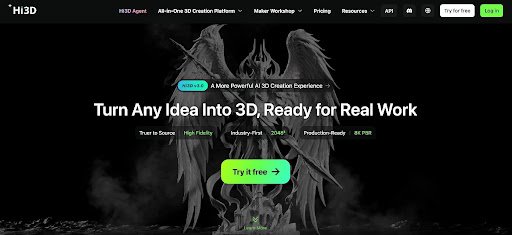
Hi3D, developed by Math Magic, is an AI-powered 3D creation platform that supports image-to-3D generation, AI-assisted texturing, relief creation, and selected model preparation workflows. Its capabilities provide a starting point for exploring three-dimensional concepts and preparing suitable assets for further development.
The platform is particularly relevant when a team needs to move from a visual idea to a model that can be inspected from different angles. A generated asset can help clarify a concept, expose uncertainties, and support discussions about what should happen next.
This does not mean AI generation eliminates the need for prototyping expertise. Rather, it can help separate early visual exploration from the more demanding work of producing a technically validated design. By making an initial three-dimensional representation easier to obtain, Hi3D gives creators another option for investigating concepts before investing in detailed production.
Moving from a Sketch or Reference to an Initial Model
Early design work frequently relies on rough sketches, reference photographs, mood boards, and digital illustrations. These materials communicate ideas effectively, but they do not always make the three-dimensional form immediately clear.
A drawing may show the front of a product without revealing its depth. A photograph may hide the rear surface or make certain proportions difficult to judge. Before a team can assess a concept spatially, it needs a representation that communicates more of the object’s form.
Hi3D’s image-to-3D capability helps bridge this gap by generating preliminary models from suitable images. Depending on the workflow, users can work from a single reference or provide multiple views to supply additional visual information.
Consider a designer exploring a new desk accessory. An early concept image may communicate the overall silhouette, but questions remain about the thickness of its base, the shape of its rear section, and how its different parts relate to one another. Generating a three-dimensional interpretation gives the designer another way to inspect these characteristics.
The initial model may not accurately represent every hidden detail. AI systems must infer information that is not fully visible in the reference, and the resulting geometry may require adjustment. Nevertheless, the model can make certain questions easier to discuss than a flat image alone.
For example, a team might discover that the proposed silhouette looks balanced from the front but awkward from the side. This observation can guide the next design revision before anyone spends substantial time refining surface details.
The value of this stage lies in making an idea easier to examine. A preliminary model provides a spatial reference that helps designers identify uncertainties and determine what additional information or refinement is needed.
Comparing Concepts Before Choosing a Direction
Designers rarely know whether their first idea will be the strongest option. A product concept may need several alternatives before its most suitable form becomes apparent. Differences in proportions, silhouettes, and component arrangements can significantly affect how an object looks and communicates its intended purpose.
Creating every alternative manually can discourage experimentation, especially when the concepts are still changing. AI-assisted generation can make it easier to explore selected visual directions by providing preliminary models from different references.
Hi3D can support this process when designers have suitable images representing alternative concepts. Each generated result can be inspected as a three-dimensional interpretation, helping the team compare broad visual characteristics before proceeding to detailed modeling.
Imagine a team developing a decorative lighting object. One concept emphasizes a compact, rounded shape, while another uses a taller profile with more angular features. Preliminary models can help the team consider how these alternatives occupy space and whether their silhouettes communicate the intended design direction.
The comparison should be based on clear criteria rather than appearance alone. Designers might evaluate proportions, recognizability, visual balance, and how well each concept reflects the original brief. If the project has functional requirements, they should also identify which questions cannot be answered by visual inspection alone.
Generated models are not automatically equivalent in quality. Differences in input references, hidden geometry, and generation outcomes can make a direct comparison misleading. A team should distinguish between a concept that appears stronger and a model that simply received a more favorable interpretation from the system.
For this reason, AI-generated alternatives are most useful as aids to exploration rather than as automatic ranking tools. They provide material for discussion while leaving the decision to the people responsible for the design.
Making Design Feedback More Concrete
Feedback is essential during product development, but abstract descriptions can be difficult to interpret. One person may ask for a narrower profile, while another may describe the same feature as too bulky. A team can spend time discussing these impressions without reaching a shared understanding of the intended change.
A three-dimensional model can give the discussion a more concrete reference. Instead of relying entirely on written descriptions or two-dimensional sketches, participants can examine the same form and identify the areas that need attention.
Hi3D can help establish this reference through image-to-3D generation. Once a suitable model has been created and transferred to a compatible viewing or editing environment, team members can use it to discuss proportions, visible features, and potential design adjustments.
For instance, a product manager might feel that a concept appears too heavy, while a designer believes the problem comes from the relationship between the upper and lower sections. Reviewing the model from different viewpoints can help clarify whether the disagreement concerns the overall silhouette or a specific component.
This shared reference can be useful in distributed teams as well. Participants may have different levels of modeling experience, but they can still discuss the broad appearance of an object when a model is available for inspection.
However, the generated asset should not be mistaken for a complete technical specification. A model may communicate the general shape without preserving exact measurements or manufacturing constraints. Feedback about dimensions, fit, or performance requires appropriate data and validation.
The practical benefit is that early conversations can become more focused. Teams can use the model to identify questions, agree on priorities, and determine which changes should be explored next.
Separating Shape Exploration from Surface Decisions
A design’s shape and its appearance are closely related, but they represent different sets of decisions. Geometry determines the underlying form, while colors, textures, and material properties influence how the object is perceived.
During early development, it can be useful to examine these aspects separately. A concept might have the right overall proportions but the wrong visual treatment. Alternatively, an attractive material appearance might conceal problems with the underlying form.
Hi3D supports AI-assisted texturing, allowing users to explore surface treatments for suitable models with an ai 3d model texture generator workflow. Depending on the workflow, creators can also generate geometry and textures together or investigate reference-guided appearance options.
This creates opportunities to test whether a proposed surface direction strengthens the design. A simple product concept might be explored with a matte finish, a glossy appearance, or a texture inspired by a particular material. The geometry can remain the central object of evaluation while its visual treatment changes.
Consider a designer developing a storage container. The initial shape may be satisfactory, but the intended product could appear playful, understated, or premium depending on its surface treatment. Exploring different appearances can help the team determine which direction best communicates the concept.
These experiments should not be confused with material testing. A generated texture can suggest a particular finish, but it does not establish that the physical material will have the same durability, reflectivity, or tactile properties. Real-world material selection requires separate evaluation.
Likewise, a texture may imply surface details that are not present in the geometry. If a feature needs to affect the object’s physical shape, it may require actual modeling rather than a visual treatment alone.
By using shape and appearance as separate evaluation criteria, designers can better understand what is working in a concept and what needs to change.
Identifying Problems Before Detailed Modeling
One reason to create preliminary models is to discover problems while changes are still relatively inexpensive. A design may appear convincing in a sketch but reveal weaknesses when viewed as a three-dimensional object.
The silhouette might be difficult to recognize from certain angles. A decorative feature may dominate the rest of the design, or the relationship between two sections may look unbalanced. These issues do not necessarily require immediate technical solutions, but they can indicate that the concept needs another round of exploration.
Hi3D can help designers generate an initial representation that makes such observations possible. The model can be inspected to identify areas where the reference has translated successfully and areas where the generated form differs from expectations.
For example, a designer may begin with an image of a compact handheld object. The generated model could reveal that its side profile appears substantially thicker than anticipated. This might prompt a revised reference, a change in the design direction, or manual editing in a compatible application.
The important point is to distinguish between problems with the concept and problems with the generated output. A model can look incorrect because the original design is weak, but it can also look incorrect because the generation system inferred hidden geometry poorly.
Reviewing the original reference alongside the generated model can help the team determine which explanation is more likely. If the output lacks information that was never present in the reference, additional reference material may be more useful than repeated generation from the same image.
This type of evaluation helps prevent early visual experiments from being treated as unquestionable representations of the design. Instead, each result becomes evidence that can inform the next decision.
Preparing Selected Concepts for Physical Evaluation
Digital visualization can answer many questions about appearance, but some design decisions require physical testing. A prototype may need to be held, assembled, measured, or evaluated under real operating conditions.
Three-dimensional printing offers one way to produce physical representations of suitable models. It can be useful for examining overall proportions, checking basic fit, or assessing how an object feels in the hand. Yet the quality of a digital model alone does not guarantee a successful print.
Hi3D supports selected printing-related workflows through formats such as STL and 3MF, model splitting, and multicolor printing preparation. These features can help move suitable generated assets toward additional preparation in compatible slicing software.
A designer might use a generated model to investigate the overall shape of a non-critical prototype. Before printing, the model should be reviewed for dimensions, wall thickness, mesh integrity, and other requirements relevant to the chosen process.
Model splitting can be useful when a suitable object exceeds the printer’s build area or is easier to manufacture as separate sections. Hi3D’s Split-to-Print workflow is designed to divide models and provide connectors that can help with assembly.
The resulting parts still require inspection. Connectors must have appropriate dimensions and tolerances, and the divided sections need to fit together as intended. The best settings depend on the geometry, printer, and material.
Multicolor preparation can support concepts in which color separation is part of the physical design, provided the selected equipment and software support the required process.
For functional prototypes, more rigorous checks are necessary. A generated model should not be assumed to have the dimensions, strength, or mechanical behavior needed for real-world use. Engineering applications require appropriate measurements, design adjustments, and testing.
Hi3D can contribute to the transition from visual exploration to a physical prototype, but it remains one part of a larger validation process.
Handling Larger Concepts Through Model Splitting
Some concepts are difficult to represent as a single printable object. Their dimensions may exceed the available build area, or their shape may make it more practical to manufacture and assemble separate components.
This introduces a different design problem: how should a larger form be divided while maintaining alignment and visual continuity? The answer depends on the object’s geometry, intended use, and manufacturing method.
Hi3D’s model-splitting capability provides a starting point for dividing suitable models into sections. Its Split-to-Print workflow can also provide connectors intended to help users assemble the separated parts.
For example, a creator exploring a large decorative sculpture might need to divide the concept into smaller pieces before printing. A split model can make it possible to consider how the sections will fit within the printer’s build area and how they will be joined later.
The split locations matter. Dividing a model through a highly visible decorative feature may create an undesirable seam, while a division along a less prominent region may be easier to manage. Assembly access and structural requirements also influence where sections should meet.
Although automated splitting can reduce some preparation work, it does not remove the need for design judgment. Users should check the resulting geometry, connector fit, alignment, and expected strength before producing the parts.
The feature is therefore best understood as a preparation aid rather than a guarantee of successful manufacturing. It helps make certain large or complex concepts more manageable, while final decisions still depend on the project’s practical constraints.
Moving Models into the Right Tools for Refinement
A preliminary model becomes more valuable when it can be used in the software best suited to the next task. Some concepts need sculpting, others require rendering, and still others need mesh repair or preparation for printing.
Hi3D supports several export formats across applicable workflows, including OBJ, GLB, FBX, STL, USDZ, and 3MF. These formats serve different purposes, so the appropriate choice depends on the intended destination.
A designer who wants to develop the visual presentation of a concept may move the model into a rendering application. Someone preparing a printable prototype may choose a suitable manufacturing-oriented format and inspect the asset in slicing software. A project involving animation or interactive content may require a different pipeline.
Exporting a model does not necessarily preserve every property in exactly the same way across applications. Textures may need to be reassigned, materials may behave differently, and the geometry may need optimization. Some workflows also require changes to scale or orientation.
For early prototyping, the aim is to select the next tool according to the question that needs answering. If the concern is whether the overall form works, visual refinement may be sufficient. If the concern is whether components fit together, more precise geometry and measurement become necessary.
This task-driven approach helps teams avoid polishing aspects of a concept before its basic direction has been validated. It also makes it easier to determine when an AI-generated model has served its purpose and when specialized modeling work should begin.
Using AI as Part of an Iterative Design Process
Effective prototyping is rarely a straight line from concept to finished product. Designers alternate between generating ideas, reviewing results, identifying weaknesses, and making changes. Each cycle should help answer a specific question or reduce uncertainty about the design.
AI-assisted 3D generation can support selected stages of this process by making preliminary models easier to obtain. Hi3D’s image-to-3D generation can help establish a spatial reference, while its texturing capabilities can support exploration of alternative appearances. Export and preparation options provide routes for continuing work in compatible applications.
The process is most effective when each experiment has a clear objective. A designer might want to test a silhouette, compare surface treatments, or assess whether a concept can be divided into printable sections. The model should be judged according to that objective rather than against every requirement of a finished product.
Not every experiment needs to succeed. An unsuccessful generation may reveal that the reference is ambiguous, that important views are missing, or that the concept needs to be simplified. Recording these observations can help the next iteration become more focused.
It is also important to recognize when repeated generation is no longer the best solution. If the remaining issue concerns exact dimensions, mechanical relationships, or specialized geometry, manual editing and technical analysis may be more effective.
This balance between automation and deliberate refinement helps ensure that AI generation contributes to meaningful progress rather than creating additional work without resolving the underlying problem.
Making Early Design Decisions with Greater Clarity
The early stages of design are shaped by uncertainty. Teams need to decide which ideas deserve attention, which details require clarification, and which concepts are ready for more demanding technical work.
Hi3D offers a way to explore suitable visual references as preliminary three-dimensional models. Its AI-assisted texturing, relief generation, export options, and selected printing preparation features extend that exploration into additional creative tasks.
The platform is not a substitute for engineering validation or professional modeling when precision is essential. Its generated outputs may require correction, and their suitability depends on the quality of the references and the intended application.
Its practical role is to provide another starting point for visual investigation. Designers can use generated models to clarify ideas, compare alternatives, and identify questions before committing to more detailed development.
When integrated into a thoughtful workflow, AI-powered 3D generation can help make early experimentation more flexible. Hi3D gives creators an additional way to turn visual concepts into inspectable forms, helping them decide what to refine, what to revise, and which directions are worth pursuing further.

Where Is Tim Belusko Now? His Life After Danielle Fishel

Tony Hinchcliffe Net Worth: How Stand-Up Comedy Made Him Rich

Katie Drysen: What We Know About Jason Earles’ Private Wife

Nate Bargatze Net Worth: Inside His $40 Million Comedy Fortune

NeNe Leakes Net Worth: Her Million-Dollar RHOA Salary and Wealth

DDG Net Worth: How Rich Is the Rapper and YouTube Star?

IShowSpeed Net Worth: YouTube Earnings, Brand Deals, and Luxury Cars

Mia Randall: Everything You Need to Know About Patrick Mahomes’ Younger Sister

Top AI Trends 2026: 10 Biggest AI Technologies, Risks, and Future Predictions

Sal Vulcano Net Worth: Salary, Income, and His Rise to Fame

Catherine Mooty: What Happened to Troy Aikman’s Ex-Wife?

Charfen.co.uk: What Is It and What Does It Offer?

Who Is Tamara Hurwitz? Meet Bill Pullman’s Wife

Voozon.com: Everything You Need to Know Before Using It

Diandra Luker: The Real Story of Michael Douglas’ Ex-Wife

Jack Scott Ramsay: What Happened to Gordon Ramsay’s Son?

SoSoActive: Everything You Need to Know About the Digital Platform

Noelle Watters: Where Is Jesse Watters’ First Wife Now?

The Story of Jeannine Belleguic: What Public Records Really Reveal

Kerri Browitt Caviezel: Everything to Know About Jim Caviezel’s Wife
Where Is Tim Belusko Now? His Life After Danielle Fishel
Tony Hinchcliffe Net Worth: How Stand-Up Comedy Made Him Rich
Katie Drysen: What We Know About Jason Earles’ Private Wife
Nate Bargatze Net Worth: Inside His $40 Million Comedy Fortune
NeNe Leakes Net Worth: Her Million-Dollar RHOA Salary and Wealth
DDG Net Worth: How Rich Is the Rapper and YouTube Star?
IShowSpeed Net Worth: YouTube Earnings, Brand Deals, and Luxury Cars
Mia Randall: Everything You Need to Know About Patrick Mahomes’ Younger Sister
Top AI Trends 2026: 10 Biggest AI Technologies, Risks, and Future Predictions
Sal Vulcano Net Worth: Salary, Income, and His Rise to Fame
-

 News2 months ago
Who Is Gigi Yallouz? Meet Owain Yeoman’s Wife and Jewelry Designer
-

 News2 months ago
Rajesh Nihalani: What We Know About Archie Panjabi’s Husband
-

 News2 months ago
Stephan Farmiga: Everything to Know About Vera Farmiga’s Brother
-

 News1 month ago
Who Is Tove Torvalds? All About Linus Torvalds’ Wife