
Technology
From Research Paper to Reading Brief: A Practical AI Summarization Workflow

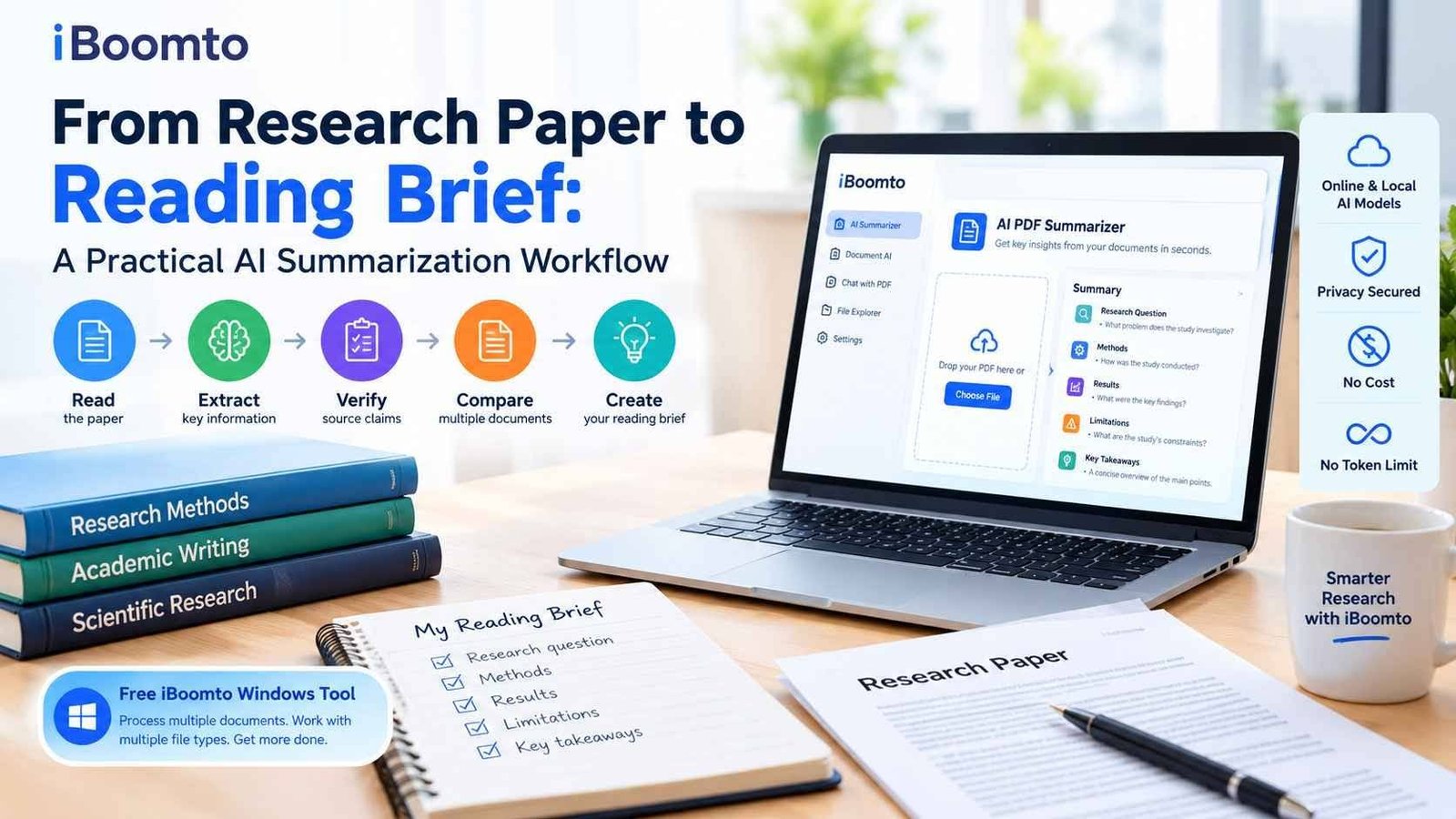
Research papers contain valuable insights, but finding the most important information can take hours. Students may need to review dozens of academic studies, while researchers, analysts, and content teams must compare findings, verify evidence, and turn lengthy documents into useful reading notes. A structured approach to summarization can make this process faster without sacrificing accuracy.
An AI PDF summarizer can help readers identify research questions, understand methodologies, extract important results, and locate limitations before preparing a concise reading brief. Instead of relying on a general summary, readers can use AI to organize the information into clear sections and check each claim against the original document.
iBoomto Document AI offers a practical starting point for this workflow. Its online summarizer helps users process PDF documents, explore key findings, and follow source references. For more extensive document tasks, iBoomto also provides a Windows application designed to work with multiple file formats and support broader document-processing workflows.
Why Research Papers Need a Structured Summarization Workflow
A research paper is more than a collection of paragraphs. It presents a research question, explains how the investigation was conducted, reports findings, and discusses what those findings mean. A useful summary should preserve these connections rather than simply shorten the text.
For example, a study might report a positive relationship between two variables without establishing that one causes the other. If an AI-generated summary overlooks this distinction, the resulting reading brief could misrepresent the research.
A structured workflow helps prevent such problems by separating the paper into essential components:
- Research question: What problem does the study investigate?
- Methods: What data, participants, experiments, or analytical techniques did the researchers use?
- Results: What did the study actually find?
- Limitations: Which uncertainties, constraints, or weaknesses affect the conclusions?
- Implications: What do the findings mean, and what questions remain unanswered?
This structure gives readers a consistent way to review individual studies and compare several papers on the same subject.
Step 1: Prepare the Research Paper for Summarization
Before using an AI tool, identify the purpose of the reading task. A student preparing for a seminar may need the main argument and supporting evidence, whereas a researcher conducting a literature review may focus on study design, sample characteristics, and limitations.
Choose a clear objective before uploading the document. For example, you might want to understand a paper’s central hypothesis, compare two experimental approaches, or determine whether its findings support a claim in an industry report.
Next, locate the complete paper, preferably including its abstract, methodology, results, discussion, references, and supplementary information where available. These sections provide context that may be missing from an abstract-only summary.
For scanned papers or image-based PDFs, a tool with document recognition capabilities can be especially useful. iBoomto’s online PDF summarizer supports scanned PDFs, while its Windows application offers broader document-processing features.
Step 2: Extract the Research Question, Methods, Results, and Limitations
Once the document is ready, ask the AI to organize its content into four core categories.
Identify the Research Question
Start by identifying the problem the researchers are trying to solve. Ask what gap in existing knowledge motivated the study and which hypothesis or research question guided the investigation.
A useful prompt is:
“Identify the primary research question and any secondary hypotheses. Explain the problem the authors are addressing and cite the relevant pages in the original document.”
This helps distinguish the paper’s stated objective from background information or conclusions introduced later.
Understand the Methods
The methodology explains how the researchers attempted to answer their question. Depending on the discipline, it may include a survey, controlled experiment, systematic review, statistical analysis, interviews, or observational study.
Ask the AI to identify the study design, data sources, sample size, measurement techniques, and analytical methods when these details are reported.
For example:
“Summarize the research methodology, including the study design, participants or data sources, main variables, and analysis techniques. Flag any details that are not explicitly stated.”
The final instruction is important because a reliable summary should identify missing information rather than invent details.
Extract the Main Results
Results should describe what the researchers observed, not what a reader expects the study to prove.
Ask the AI to list the main findings, relevant numerical results, reported statistical relationships, and differences between groups where applicable. Preserve units, dates, sample sizes, and uncertainty measures whenever they affect interpretation.
A suitable prompt is:
“List the three most important findings. Include relevant numerical evidence and distinguish statistically significant results from descriptive observations. Link each finding to its source page.”
This produces a more useful research note than a broad paragraph that simply repeats the abstract.
Identify Limitations and Unanswered Questions
Every study has boundaries. These may include a small sample, limited geographical coverage, short observation periods, incomplete data, measurement problems, or findings that cannot easily be generalized to other populations.
Ask:
“What limitations do the authors explicitly acknowledge? Separate those limitations from any additional concerns you infer from the methods or results.”
Keeping these categories separate prevents the AI from presenting its own interpretation as a statement made by the researchers.
Step 3: Use iBoomto AI PDF Summarizer Online
For a single research paper, the online tool offers a straightforward way to begin. The iBoomto AI PDF Summarizer is designed to turn lengthy PDFs into structured summaries with source references, making it easier to review important details without manually searching every page.
Follow these steps to create a reading brief.
- Open the summarizer. Visit the iBoomto AI PDF Summarizer page in your browser. The online tool does not require a separate Windows installation.
- Upload the PDF. Drag and drop your research paper into the upload area or select the file from your computer. You can start with a journal article, technical report, or other PDF document.
- Generate the summary. Allow the tool to process the document. It identifies important information and organizes the output into key points and other readable sections.
- Review the main findings. Read the summary and identify the research objective, methods, results, and limitations. If a particular element is missing, ask a follow-up question in natural language.
- Investigate specific details. Ask questions such as “What research method did the authors use?” or “Which limitations could affect the conclusions?” iBoomto supports follow-up questions and source-page references, helping you locate relevant information.
- Verify the source. Open the cited pages and compare the generated statements with the original wording, tables, figures, and surrounding paragraphs.
- Create your reading brief. Copy or export the useful findings into your preferred note-taking or document workflow, then organize them under consistent headings.
The goal is not to replace reading altogether. It is to identify the most relevant sections quickly and make the subsequent close reading more focused.
Step 4: Cross-Check Every Important Claim
An AI-generated summary should be treated as a working document, not as the final authority on a research paper. Even a well-structured output may omit qualifications or misinterpret a result.
Use a simple verification table for each paper:
| Reading brief section | What to verify |
| Research question | Does it match the stated objective or hypothesis? |
| Methods | Are the study design, sample, and analytical techniques described correctly? |
| Results | Do the figures, measurements, and conclusions match the original findings? |
| Limitations | Are author-acknowledged limitations separated from your own observations? |
| Interpretation | Does the brief avoid claiming more than the evidence supports? |
Pay special attention to negative findings, correlation versus causation, statistical uncertainty, and statements about generalizability.
When the source contains important numerical evidence, verify the relevant table or figure rather than relying only on a summary paragraph. For academic work, retain the original citation details and consult the publisher’s version of record when possible.
This verification stage turns AI summarization from a shortcut into a repeatable research process.
Step 5: Turn Individual Summaries into a Multi-Document Reading Brief
Once the single-paper workflow is reliable, expand it to multiple sources. This is useful for literature reviews, competitor research, policy analysis, and content planning.
Start by giving each paper the same summary structure. Record its research question, methods, findings, limitations, publication year, and source information. Consistent headings make meaningful comparisons easier.
Next, identify common themes and disagreements. Two studies may investigate the same topic but use different samples, measurement methods, or definitions. Their findings should not automatically be treated as directly comparable.
A practical comparison table might look like this:
| Paper | Main question | Method | Key finding | Main limitation |
| Study A | Question investigated | Survey | Reported association | Limited sample |
| Study B | Related question | Experiment | Observed effect | Short observation period |
| Study C | Alternative explanation | Review | Mixed evidence | Variation between studies |
These entries are illustrative placeholders, not findings from actual studies. Replace them with verified information from your selected sources.
For larger projects, iBoomto’s Windows document AI can help extend the process across multiple documents. Its official website describes batch file processing, document analysis, extraction, and comparison workflows. These capabilities can help teams organize a larger body of research without treating every document as an isolated task.
Step 6: Scale the Workflow for Brand and Content Research
The same method can be adapted for businesses that need to analyze research reports, customer studies, technical documents, or industry publications.
A content team, for example, may need to turn several reports into a reading brief before developing an evidence-based article. Each report should first be summarized individually. The team can then compare recurring themes, identify conflicting data, and trace each proposed claim back to its original source.
A repeatable workflow includes five stages:
- Collect: Organize reports, research papers, and supporting documents by project or topic.
- Summarize: Extract the main question, evidence, conclusions, and limitations from each source.
- Compare: Identify shared findings, contradictions, and gaps in the available evidence.
- Verify: Check important statistics, quotations, and claims against their original sources.
- Prepare: Create a concise reading brief with source details and clear notes about uncertainty.
For brand research, keep competitor claims separate from independently verified facts. A report’s conclusions should not automatically be treated as proof, particularly when its methods or funding may influence how its results should be interpreted.
This approach can make research more manageable while preserving the evidence needed for informed editorial and business decisions.
Step 7: Explore the Free iBoomto Windows Document AI Tool
The online summarizer is useful when you want to process a PDF quickly in your browser. When a project involves multiple documents, different file types, or a longer sequence of tasks, the Windows application offers a broader environment.
Visit the official iBoomto website and select the Windows download option to find the desktop application.
After installing the software, you can begin with a document-processing task and expand the workflow as needed.
The official product information describes support for formats including PDF, Word, Excel, PowerPoint, Markdown, text files, images, and other common document types. Depending on the task, users can summarize files, extract information, ask questions about documents, compare sources, and prepare structured outputs.
iBoomto also describes support for online and local AI models. This gives users options for different workflows, although the available models, settings, and resource requirements may vary.
For privacy-conscious users, local processing can be an important consideration. Check which model is selected and where processing takes place before adding sensitive material. Using a local model does not automatically guarantee that every operation is offline, so review the software’s configuration and privacy documentation for the workflow you intend to use.
The desktop tool is positioned as a free document AI option, with no token limit advertised for the relevant local-model workflow. However, online services, individual models, and other features may have different usage conditions. Check the current product information to confirm which capabilities are available in your installation.
Practical Tips for Getting Better AI Summaries
A few habits can improve the quality of your reading briefs.
- Use focused questions. Ask about a specific research question, result, method, or limitation instead of requesting an overly broad summary.
- Keep source references. Record the paper’s title, authors, publication year, and relevant page numbers alongside each important claim.
- Separate facts from interpretation. Label what the authors report and what you infer from the evidence.
- Preserve important numbers. Do not remove sample sizes, uncertainty measures, or other details that change the meaning of a result.
- Compare like with like. Differences in study design may explain why two papers reach different conclusions.
- Review sensitive documents carefully. Choose an appropriate processing mode and check privacy settings before uploading confidential research or company materials.
- Use AI as an assistant. Read the full methodology and relevant results sections before relying on a paper for important academic or business decisions.
These practices help make AI-generated notes more transparent, reproducible, and useful for future reference.
Final Thoughts
Turning a research paper into a reading brief requires more than shortening its text. The process should preserve the original research question, explain the methods, capture the actual results, and acknowledge the limitations that affect interpretation.
A practical workflow starts with one PDF, uses structured questions to extract the important details, and verifies each claim against the source. Once that process works well, it can be expanded to multiple papers and industry reports to support literature reviews, brand research, and evidence-based content planning.
iBoomto offers an accessible way to begin with its online AI PDF summarizer, while the iBoomto Windows document AI application provides a broader set of document-processing capabilities for more extensive workflows.
By combining AI-assisted summarization with careful source verification, readers can spend less time searching through lengthy documents and more time evaluating evidence, comparing ideas, and developing well-supported conclusions.
Frequently Asked Questions
What is the best way to summarize a research paper with AI?
Start by extracting the research question, methods, results, and limitations. Then verify each section against the original paper and preserve citations for important claims. This approach is more reliable than relying on a general summary alone.
How do I summarize a PDF online for free?
Open the iBoomto AI PDF Summarizer, upload your PDF, let the tool process it, and review the resulting key points and source references. Check the website for the current usage conditions.
Can iBoomto summarize multiple research papers?
iBoomto’s Windows application describes batch document processing and workflows for handling multiple files. These capabilities can help users organize research from several sources, although the exact workflow depends on the files and features available.
Is iBoomto available for Windows?
Yes. The official iBoomto website provides access to its Windows document AI application, which supports a range of document-processing tasks and file formats.
Should I trust an AI-generated research summary without checking it?
No. Verify important claims, statistics, methods, and conclusions against the original source. AI-generated summaries can omit context or misinterpret evidence, so source checking remains essential for academic and professional work.

Kevin Bacon Net Worth: How Rich Is the Footloose Star Today?

Justin Baldoni Net Worth: How Acting and Directing Made Him Rich

Telee Gaulden: Everything to Know About NBA YoungBoy’s Older Sister

Omar Epps Net Worth: How He Made Millions From Movies and TV

J Balvin Net Worth: How the Reggaeton Star Built His $30 Million Fortune

Bretman Net Worth: YouTube Income, Brand Deals and Wealth

Westen Champlin Net Worth: The Money Behind His Wild Car Videos

The Royalty Family Net Worth: How Rich Is the YouTube Family?

Christine Marinoni: Everything About Cynthia Nixon’s Wife

Nick Bare Net Worth: Inside His BPN Success and YouTube Income

Charfen.co.uk: What Is It and What Does It Offer?

Diandra Luker: The Real Story of Michael Douglas’ Ex-Wife

Who Is Tamara Hurwitz? Meet Bill Pullman’s Wife

Voozon.com: Everything You Need to Know Before Using It

Jack Scott Ramsay: What Happened to Gordon Ramsay’s Son?

SoSoActive: Everything You Need to Know About the Digital Platform

The Story of Jeannine Belleguic: What Public Records Really Reveal

Kerri Browitt Caviezel: Everything to Know About Jim Caviezel’s Wife

Milo William Langdon: Meet Liv Tyler’s Son

From Search Visibility to Enquiries: Building a Stronger SEO System in Essex
Kevin Bacon Net Worth: How Rich Is the Footloose Star Today?
Justin Baldoni Net Worth: How Acting and Directing Made Him Rich
Telee Gaulden: Everything to Know About NBA YoungBoy’s Older Sister
Omar Epps Net Worth: How He Made Millions From Movies and TV
J Balvin Net Worth: How the Reggaeton Star Built His $30 Million Fortune
Bretman Net Worth: YouTube Income, Brand Deals and Wealth
Westen Champlin Net Worth: The Money Behind His Wild Car Videos
The Royalty Family Net Worth: How Rich Is the YouTube Family?
Christine Marinoni: Everything About Cynthia Nixon’s Wife
Nick Bare Net Worth: Inside His BPN Success and YouTube Income
-

 News2 months ago
Who Is Gigi Yallouz? Meet Owain Yeoman’s Wife and Jewelry Designer
-

 News2 months ago
Rajesh Nihalani: What We Know About Archie Panjabi’s Husband
-

 News1 month ago
Who Is Tove Torvalds? All About Linus Torvalds’ Wife
-

 News2 months ago
Stephan Farmiga: Everything to Know About Vera Farmiga’s Brother