
Technology
Let Imagination Be Your Only Budget With Dreamina Text-to-Video AI

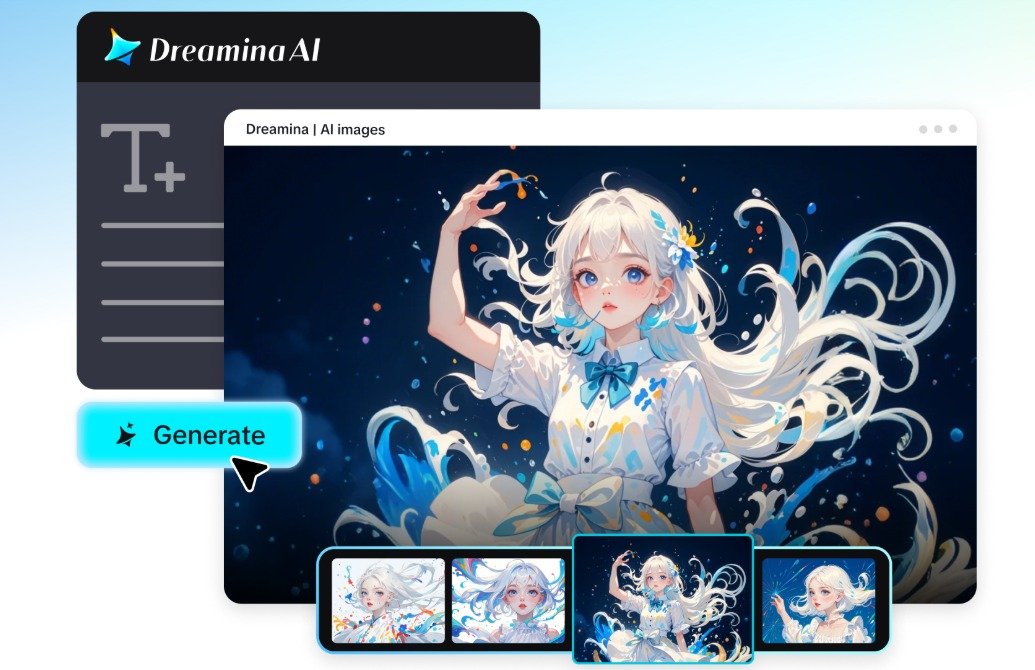
Expensive locations, expensive equipment, expensive props, and expensive visual effects are often needed for ambitious video ideas. These requirements can make strange ideas hard to capture in film using a traditional production. Dreamina AI provides another solution, which is converting written prompts and images into unique video scenes. You can see impossible landscapes, unreal creatures, and unreal transformations even though they are not shot physically. This versatility allows creators to experiment with ideas without dedicating further production time. But generation credits, refinement time, and editing requirements still apply to the whole process.
Break Conventional Visual Rules Through Imaginative Concepts
Dreamina AI lets you create video from text, turning it into an opportunity to explore visual concepts outside the bounds of typical filming scenarios—dreams of floating islands over glowing oceans, upside-down forests, or rivers through the clouds. You can turn a room into a flower garden or fit small towns in teacups. Other ideas that are good for creativity include cosmic environments, living architecture and abstract representations of curiosity. Select an unusual premise and investigate the implications of the premise by use of movement, lighting and composition. Sometimes the concept of a story is the most important: unrelated fantasy elements can be distracting.
Turn a Vague Idea Into a Visual Experiment
Begin with a statement of your main idea: a city enclosed in a clear bubble. Find the subject, context, size, materials, lighting, and original direction of movement. Then decide if the scene will look movie-like, like a painting, animated, realistic, or surreal. Explain one camera move that makes the idea apparent (slow orbit around floating buildings). Add important visual information that is consistent throughout the sequence. Finally, make some choices about what the viewers should look at first and how the scene should conclude. Prompt revisions are more purposeful with specific objectives.
Steps to Let Imagination Be Your Only Budget With Dreamina Text to Video AI
Step 1: Log in and put your imagination into words
- First, sign up or log in to Dreamina to turn your imagination into a video.
- Next, select the “Create” tab from the left menu and pick the “AI video” option.
- Later, write a detailed prompt about how your dream video should look and feel overall. Add information on video elements, sound, background, theme, and concept without worrying about any budget.
Step 2: Choose a model and customize the output
- Now, pick a model from the options present at the bottom of the dialogue box.
- Try models like Dreamina Seedance 2.5, Dreamina Seedance 2.0, Dreamina Seedance 2.0 Fast, Dreamina Seedance 2.0 Mini, Dreamina Seedance 1.0, etc.
- Click on “Omni reference” so multiple reference images guide the AI toward accurate video results.
- Next, select the custom aspect ratio and resolution from the “Aspect ratio” and “Resolution” tabs.
- Finally, click on the “Generate” tab to begin creating your imaginative video right from scratch.
Step 3: Refine your vision and download the video
- If the video falls short, use “Edit prompt” or “Regenerate” to refine the results.
- You can also edit the generated video using the “Edit video” option at any time.
- Moreover, use “Edit segment” to edit only part of the video you want to change.
- Use “Extend video” to grow your idea into a longer story with many more scenes. Try “Creative upscale” to improve your video quality and give it a polished cinematic look.
- Dreamina gives you complete freedom to edit your video the way you like without limits.
- Finally, click on the “Download” tab present in the top right corner of the interface. This saves the video file on your local device, ready to share with the world.
Experiment With Visual Styles, Camera Movement, and Scale
Dreamina AI allows creators to delve into various interpretations of the same creative concept. Even impossible environments can be coupled with believable materials and lighting when creating cinematic realism. Storybook fantasy adds some expressive shapes, illustrative textures, and imaginative colours. Surreal minimalism highlights some unusual objects in restrained backgrounds, while macro focuses on a few everyday things that look monumental. The gradual transformations and the drift of objects give dreamlike movements, while the geometric forms provide graphic abstraction. Make one significant change in one generation (e.g., camera angle or artistic style) to see what decisions give a better result.
Use Reference Images to Guide More Complex Visual Ideas
While text prompts provide flexibility, references add a little more visual direction when details are important. Set the composition/color palette/appearance of the subject / the motif with the image. Omni reference: Dreamina AI can convey multiple relationships between multiple visual elements. Existing pictures can also be built into a scene that moves – such as an image-to-video workflow. With the selected workflow, video references can also be added to the video to give further instructions for movement or camera directions. Use compatible references so as not to give conflicting instructions, and keep in mind that references are used to give direction to generation, not to create an exact copy of the reference.
Turn Individual Experiments Into a Coherent Visual Story
A set of creative scenes is enhanced when every shot is used to tell a story. Start with an establishing shot that sets up the fictional world, and then show the impossible element of the world. Follow with a transformational change that affects the viewer’s comprehension of the environment. Provide continuity through repetition of color, object, character, or movement. Link scenes with suitable shapes, camera directions, or visual rhythms. Add narration, captions, music, and sound effects during editing as appropriate. If you’re working with structured narratives, then Dreamina AI’s script-to-video can assist you with developing multiple scenes. Further editing is useful for controlling pacing and piecing together a complete story.
Understand Practical Limits Without Restricting Creative Ambition
Practical constraints should not be forgotten: creative freedom is best served if they are not lost sight of. Verify the generation costs and available credits on Dreamina AI before generating many variations. Try creating short drafts, pinpoint issues, and enhance the prompt before regenerating. Complex transformations can lead to inconsistent geometry, unnatural motion, or varying object details. Conventional editing can take care of accurate timing, typography, compositing, and scene alignment. Also check the permissions of the reference images, music, recognizable characters, and other assets used. The results are dependent on the model, prompt, settings, references, and refinement process. Not all of the envisioned scenes will be exactly as envisioned.
Conclusion
With its prompts and references, Dreamina AI offers a practical approach to investigating bizarre ideas, creating unique scenes, and brainstorming for cinematic concepts. Its worth is to broaden the scope of creative possibilities, not to remove all production costs. The use of clear direction, careful experimentation, and good editing transforms imaginative ideas into useful visual material. Start with one scene that would be difficult in a conventional film, explain what is important about the scene, and develop a draft. Tweak the outcome until its movement, atmosphere, and composition convey your own idea.

Morgan Wallen Net Worth: How He Built His $35 Million Fortune

DeVon Minters: Everything to Know About Karrueche Tran’s Father

Chris Carmack Net Worth: How Much Money Does He Really Have?

Rich the Kid Net Worth: How Rich Is the Famous Rapper Today?

Don’t Hire a Contractor Until You’ve Checked These 7 Things

Cole Bennett Net Worth: Income, Career, House and Lifestyle

Traditional Bank or Online App? Picking the Right Non-Resident Bank Account in Spain

Lili Estefan Net Worth: Her Salary Career and Success Story

A Simple Guide to Eligibility Requirements for Research Publication

Killer Mike Net Worth: How Music and Business Built His Wealth

Charfen.co.uk: What Is It and What Does It Offer?

Diandra Luker: The Real Story of Michael Douglas’ Ex-Wife

Voozon.com: Everything You Need to Know Before Using It

Jack Scott Ramsay: What Happened to Gordon Ramsay’s Son?

SoSoActive: Everything You Need to Know About the Digital Platform

The Story of Jeannine Belleguic: What Public Records Really Reveal

Kerri Browitt Caviezel: Everything to Know About Jim Caviezel’s Wife

Milo William Langdon: Meet Liv Tyler’s Son

From Search Visibility to Enquiries: Building a Stronger SEO System in Essex

Maureen Wilson: The Real Story of Robert Plant’s First Wife
Morgan Wallen Net Worth: How He Built His $35 Million Fortune
DeVon Minters: Everything to Know About Karrueche Tran’s Father
Chris Carmack Net Worth: How Much Money Does He Really Have?
Rich the Kid Net Worth: How Rich Is the Famous Rapper Today?
Don’t Hire a Contractor Until You’ve Checked These 7 Things
Cole Bennett Net Worth: Income, Career, House and Lifestyle
Traditional Bank or Online App? Picking the Right Non-Resident Bank Account in Spain
Lili Estefan Net Worth: Her Salary Career and Success Story
A Simple Guide to Eligibility Requirements for Research Publication
Killer Mike Net Worth: How Music and Business Built His Wealth
-

 News2 months ago
Who Is Gigi Yallouz? Meet Owain Yeoman’s Wife and Jewelry Designer
-

 News2 months ago
Rajesh Nihalani: What We Know About Archie Panjabi’s Husband
-

 News2 months ago
Who Is Tove Torvalds? All About Linus Torvalds’ Wife
-

 News2 months ago
Stephan Farmiga: Everything to Know About Vera Farmiga’s Brother