Blog
Content Cz Mobilesoft Appblock Fileprovider Cache Blank Html: What Is It and Is It Safe?

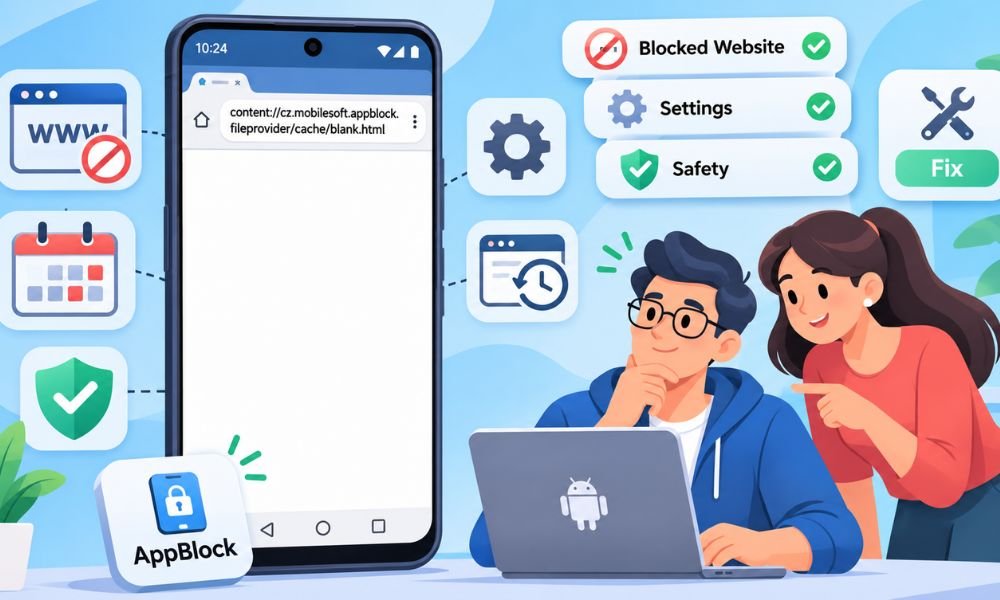
Have you ever opened a website on your Android phone and seen a strange blank page? You may notice an address like content://cz.mobilesoft.appblock.fileprovider/cache/blank.html. It looks confusing at first. You might even wonder if your phone has a virus.
The good news is that this address is linked to an Android app called AppBlock. This app helps people block websites and apps. When a website is blocked, AppBlock may show a blank page instead of the site.
In this article, we will explain what content cz mobilesoft appblock fileprovider cache blank html means. We will also discuss why it appears and whether it is safe. You will learn simple ways to understand this problem on your phone.
What Is Content Cz Mobilesoft Appblock Fileprovider Cache Blank Html?
Content cz mobilesoft appblock fileprovider cache blank html is an Android file address linked to the AppBlock app. It points to a file called blank.html. This file may appear when AppBlock stops a website from opening on your phone.
AppBlock is a tool that helps people control phone use. You can use it to block websites that waste your time. For example, you might block social media while studying. AppBlock can help you stay focused on your work.
The strange address does not mean your phone is damaged. It is not a normal website link. It points to a file shared through Android. Seeing it alone does not prove that your phone has a virus or other problem.
How Does Content Cz Mobilesoft Appblock Fileprovider Cache Blank Html Work?
Android apps sometimes need to share files with other apps. They can do this through a system called FileProvider. This helps apps share selected files without giving other apps full access to their private storage.
The content:// part tells Android that the address points to an app resource. The cz.mobilesoft.appblock part is linked to AppBlock. The final part names blank.html. This name suggests that the file is used for a blank page.
Imagine you block a gaming website during school hours. When you try to open it, AppBlock may stop the website from loading. Your browser may then show a blank page. This is one possible reason for seeing the address.
Why Does Content Cz Mobilesoft Appblock Fileprovider Cache Blank Html Appear?
The most common reason is an active AppBlock rule. You may have blocked a website or set a time when it cannot open. When that rule starts working, AppBlock may replace the website with a blank page.
Sometimes the problem happens even when you want to open an allowed website. This may happen because another rule blocks your browser. For example, a website might be allowed while Chrome itself is blocked during study time.
Another reason is an old browser tab or history entry. Your browser may have saved the blank page address earlier. Opening that old entry can show it again. This does not always mean a new website block is active.
Continue reading: Ashlee Simpson Net Worth: Music, TV, Business, and Wealth
Is Content Cz Mobilesoft Appblock Fileprovider Cache Blank Html Safe?
In most normal cases, this address is linked to AppBlock and its website blocking features. If you installed AppBlock yourself and see the address while visiting a blocked website, there is usually no reason to panic.
However, the address alone cannot prove that everything on your phone is safe. It does not confirm whether the installed app is genuine. You should check your installed apps if you do not remember adding AppBlock.
You can open your phone settings and look through the installed app list. If AppBlock is there, check where it came from. You can compare it with the official Google Play listing. This can help you understand what is happening.
Can Content Cz Mobilesoft Appblock Fileprovider Cache Blank Html Track You?
Many users worry that this strange address is tracking their phone activity. The address itself does not prove that someone is watching you. It only points to a resource linked to an Android app.
However, AppBlock needs certain phone permissions to support some blocking features. For example, Accessibility access can help it find websites that need to be blocked. Some AppBlock features can also collect website usage details when enabled.
If privacy matters to you, review the permissions you have given AppBlock. You can also check its privacy information and usage settings. This helps you understand what the app can access without making guesses based on the address.
What Causes the AppBlock Blank Page Problem?
An active blocking schedule is one possible cause. You may have set AppBlock to stop certain websites during work or sleep hours. When that time arrives, the app can block access even if you forget about the schedule.
Website rules can also cause unexpected blocks. For example, a broad keyword rule may match a website you did not mean to block. A rule targeting your browser can also stop you from opening sites that seem allowed.
Old tabs and saved browser history can make the problem more confusing. You may open a saved blank page instead of the real website. Try typing the original website address into a new tab to check whether it opens.
How to Fix Content Cz Mobilesoft Appblock Fileprovider Cache Blank Html
If content cz mobilesoft appblock fileprovider cache blank html keeps appearing, start by checking AppBlock. Open the app and look at your active blocking rules. A website may be blocked because of a schedule you forgot about.
Next, check the list of blocked websites and apps. Look for the website you want to open. If you find a rule that should not be there, change or pause it. Make sure you have permission to change these settings.
After making changes, open your browser again. Create a new tab and type the original website address. Do not reopen the old blank page. If the website works, the problem may have been caused by an active blocking rule.
How to Clear Content Cz Mobilesoft Appblock Fileprovider Cache Blank Html Cache
Sometimes a blank page may keep appearing even after you change your blocking rules. In this case, clearing AppBlock’s cache may help. The cache stores temporary files that apps use while working on your phone.
Open your Android Settings and find the Apps section. Select AppBlock from the installed apps list. Next, open Storage or Storage & cache. Tap Clear Cache if that option is available. The exact steps may differ between Android phones.
Be careful not to select Clear Data or Clear Storage by mistake. These options can remove saved app settings and other data. Also, clearing the cache does not turn off website blocks. Active rules can still stop websites from opening.
Why Can’t You Turn Off AppBlock?
Have you tried turning off AppBlock but found that nothing happens? This may be because Strict Mode is active. Strict Mode helps people follow their blocking plans by stopping them from changing settings too easily.
Depending on how it was set up, Strict Mode may require a PIN or another approved way to make changes. Some users set a timer or use other limits. These rules help prevent people from turning off blocks during study or work.
If you cannot change the settings, check which Strict Mode option is active. Use the method you set up to unlock it. If that does not work, visit AppBlock’s official help pages. Avoid removing important phone settings without knowing their purpose.
AppBlock Blank.html vs About:blank: What Is the Difference?
Many people think AppBlock blank.html and about:blank are the same thing. Both can show an empty page. However, they work in different ways. Understanding the difference can help you find the real cause of the problem.
The AppBlock blank.html address is linked to an Android app resource. It may appear when AppBlock blocks a website. The about:blank address is different. It is a special page that browsers can open without loading a normal website.
For example, your browser might show about:blank when opening an empty tab. But content cz mobilesoft appblock fileprovider cache blank html is linked to AppBlock. If you see it often, checking your blocking rules is a useful first step.
How to Stop Content Cz Mobilesoft Appblock Fileprovider Cache Blank Html From Appearing
The best way to prevent unwanted blank pages is to review your AppBlock settings. Check your active schedules and blocked website lists. Make sure you have not blocked a website or browser that you still need.
You should also keep AppBlock and your browser updated. New app versions may fix problems and improve how features work. Check the permissions AppBlock needs. Only allow access that matches the features you want to use.
If the address appears only in browser history, you can remove that old entry. This will not change your blocking rules. If the problem continues after checking your settings, contact AppBlock support and explain what happens on your phone.
Continue reading: Maitland Ward Net Worth: How She Built Her $4 Million Fortune
Conclusion
Content cz mobilesoft appblock fileprovider cache blank html may look strange when it first appears on your Android phone. However, it is linked to the AppBlock app. It often appears when a website is blocked by an active rule.
The address itself does not mean your phone has a virus. In many cases, you only need to check your AppBlock settings. Reviewing schedules and blocked websites can help you understand why a page will not open.
If the problem continues, try opening the original website in a new tab. You can also check app updates or clear temporary cache files when needed. With the right steps, you can keep AppBlock useful without blocking websites by mistake.
(FAQs)
What Is Content Cz Mobilesoft Appblock Fileprovider Cache Blank Html?
It is an Android file address linked to the AppBlock app. When AppBlock blocks a website, your browser may show this blank HTML page instead. It is not a normal website link and usually appears because of an active restriction.
Is Content Cz Mobilesoft Appblock Fileprovider Cache Blank Html a Virus?
No, the address alone is not a sign of a virus. It is linked to AppBlock’s file system. However, if you never installed AppBlock, check your installed apps and run a Google Play Protect scan.
Why Does AppBlock Show a Blank Page Instead of a Website?
AppBlock may show a blank page when a website matches an active blocking rule. This can happen during study hours or work time. Check your blocked website list and schedules to find out why the page is not opening.
Can Content Cz Mobilesoft Appblock Fileprovider Cache Blank Html Steal My Data?
The address itself does not show that your data is being stolen. However, AppBlock uses certain permissions to manage website blocking. You should review its privacy settings and permissions to understand what information the app can access.
Why Does Blank.html Appear in My Chrome History?
Chrome may save the blank page address after AppBlock blocks a website. You might see it later in your browsing history. An old entry does not mean a website is still blocked. Try opening the original website again.
How Can I Remove the AppBlock Blank Page From My Phone?
Open AppBlock and check your active blocking rules. Remove or change any unwanted website restrictions. Then open the original website in a new browser tab. Clearing an old history entry can also remove the saved blank page address.
What Happens If I Clear the AppBlock Cache?
Clearing the cache removes temporary app files. It may help with some loading problems. However, it does not remove your active blocking rules. Avoid selecting Clear Data because that can delete saved settings and require you to set up the app again.
Can AppBlock Track the Websites I Visit?
AppBlock uses Accessibility access for some website blocking features. It may also collect website usage details when optional tracking features are enabled. Check the app’s settings and privacy information to understand which features are active on your phone.
Why Can’t I Disable or Uninstall AppBlock?
AppBlock has a feature called Strict Mode. It can prevent users from changing blocking rules or uninstalling the app. Depending on your setup, you may need a PIN or another approved unlock method before making changes.
Will Content Cz Mobilesoft Appblock Fileprovider Cache Blank Html Damage My Android Phone?
The address itself does not damage your phone. It points to an Android resource linked to AppBlock. If it appears during a planned website block, that is usually normal. If it appears unexpectedly, check your app settings and installed apps.
Continue reading: Evelyn Lozada Net Worth: How Rich Is the Basketball Wives Star?

How Small Clothing Brands Photograph Fit and Where an AI Image Editor Helps

How A Cash Home Buyer Helps Dallas, Texas Homeowners Sell Houses Faster

Top Tree Care Companies in Pittsburgh, PA: Expert Picks for Local Homes and Businesses

From Runway to High Street: How Catwalk Trends Shape What We Wear

What to Expect From a Professional Solar Inverter Repair Service in Phoenix

Why the Aviator Nation 5-Stripe Hoodie Never Leaves My Weekly Rotation

How Power BI Consultants Accelerate Digital Transformation for Growing Businesses

How Canadian Families Can Recheck Life Insurance Needs After Major Life Changes

How to Write an eBook to Generate Leads and Build Authority

Phoenix’s Holiday Travel Season Begins: What Drivers Should Know Before Thanksgiving and Christmas Road Trips

How to Make Kofta Kebabs at Home Without Overthinking It

Michele Morrone Net Worth: His Salary, Earnings, and Rich Life

Oleksandra Zelenska: Who Is Volodymyr Zelensky’s Daughter?

Ethan Klein Net Worth: YouTube H3 Podcast and His Wealth

Hi3D: Accelerating Creative Prototyping with AI-Powered 3D Design

Parke Official and Mixed Emotions: Everyday Style Meets Modern Streetwear

Patricia Azarcoya Schneider: Everything You Need to Know About Rob Schneider’s Wife

Phil Wickham Net Worth: His YouTube Income, Tours, and Wealth

Beyond the Interior: Home Improvements That Transform Your Entire Property

Who Is Angel Iris Murphy Brown? All About Mel B’s Child
How Small Clothing Brands Photograph Fit and Where an AI Image Editor Helps
How A Cash Home Buyer Helps Dallas, Texas Homeowners Sell Houses Faster
Top Tree Care Companies in Pittsburgh, PA: Expert Picks for Local Homes and Businesses
From Runway to High Street: How Catwalk Trends Shape What We Wear
What to Expect From a Professional Solar Inverter Repair Service in Phoenix
Why the Aviator Nation 5-Stripe Hoodie Never Leaves My Weekly Rotation
How Power BI Consultants Accelerate Digital Transformation for Growing Businesses
How Canadian Families Can Recheck Life Insurance Needs After Major Life Changes
How to Write an eBook to Generate Leads and Build Authority